Installation
Getting started with Peek a Node is simple. Follow these steps to install the add-on in Blender.
Note: Install v1.1.1 for Blender 4.3 up to 4.5. Install v1.1.2 for Blender 5.0 and above.
- Open Preferences: Navigate to
Edit>Preferences>Add-ons. - Install from Disk: Click the Install... button (or "Install from Disk..." from the dropdown).
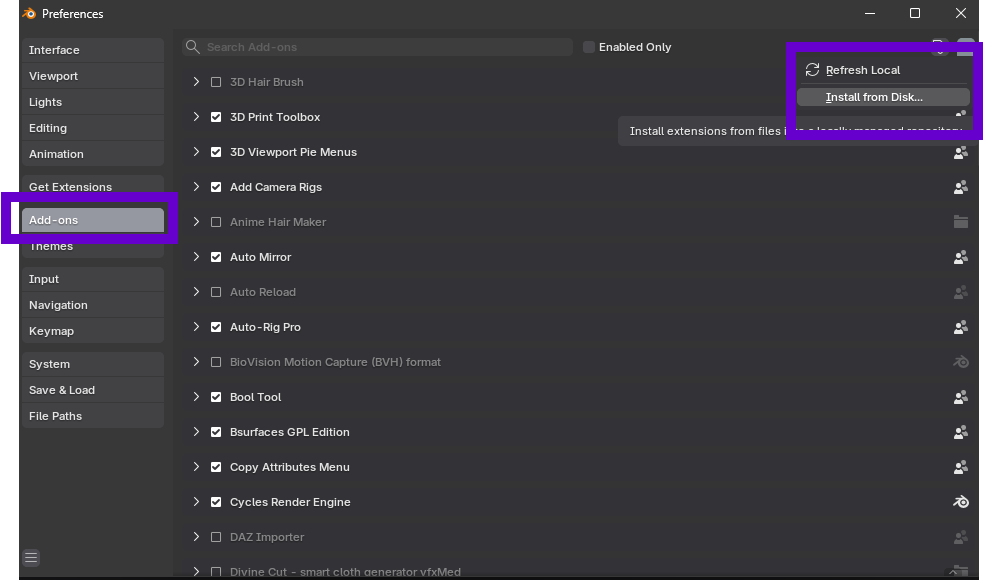
- Locate File: Navigate to where you downloaded the
.zipfile for the add-on. Select it and click Install Add-on.
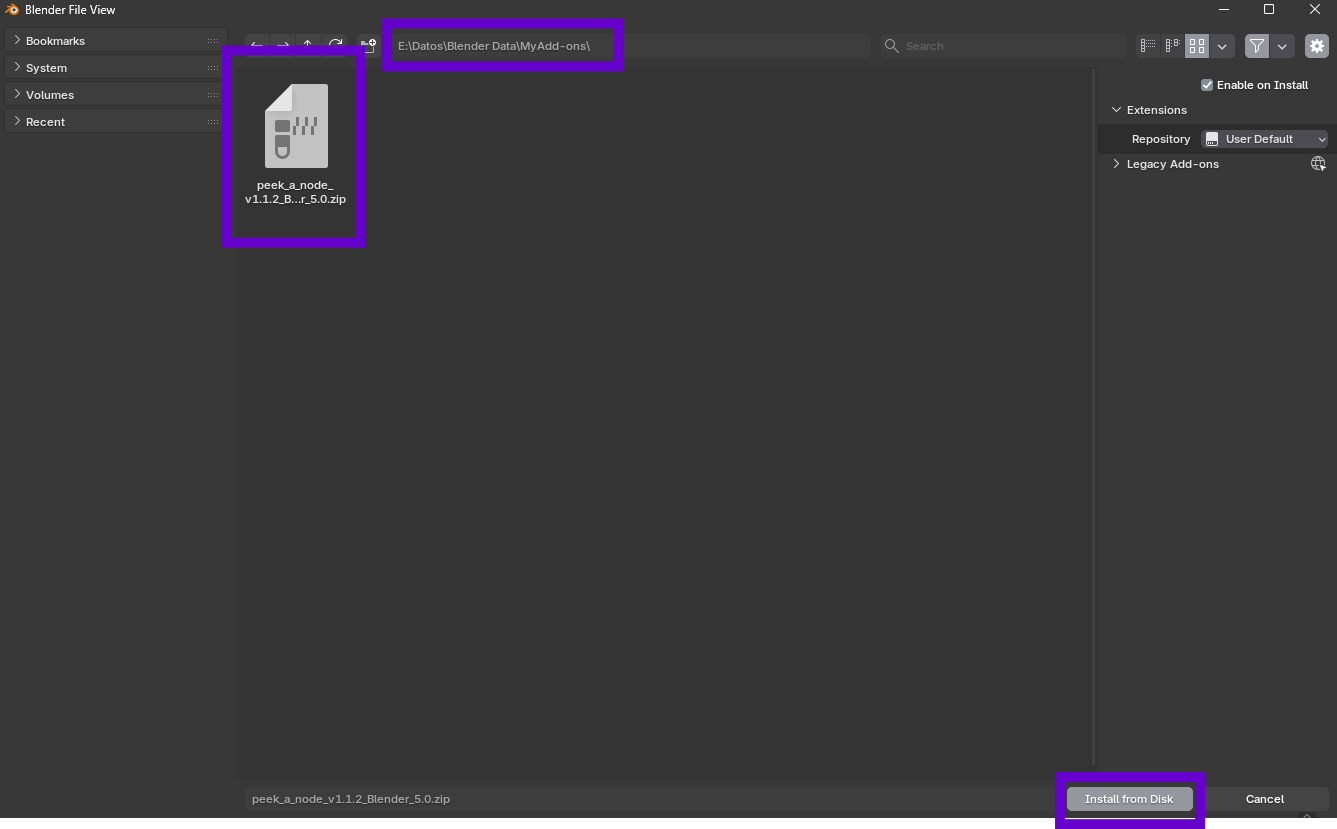
- Enable: Enable the add-on by checking the box next to its name.
You are now ready to use Peek a Node!